


Transfer your subscription to the new PubliBike Velospot (Zone 1) app
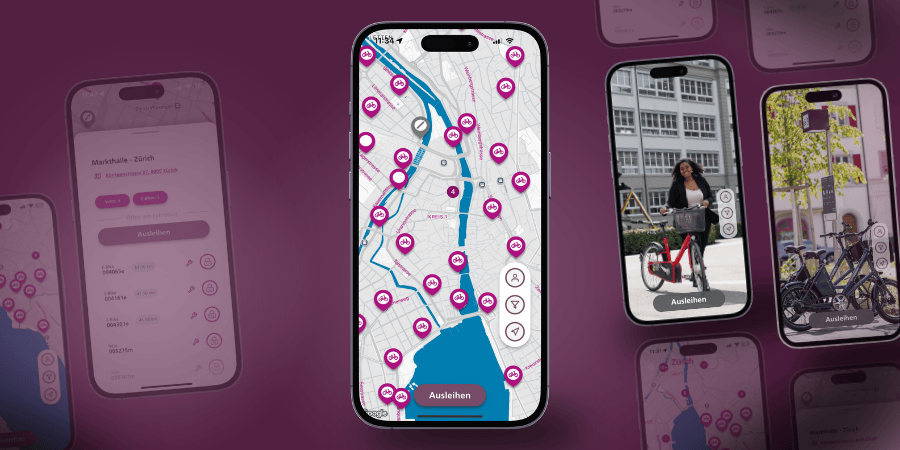
Download the PubliBike Velospot (Zone 1) app.
Info for B-Quick users
B-Quick users do not need to transfer their subscription. Simply register in the new app with your phone number, email, name, and payment method. For verification, 5 CHF will be charged, but you will immediately receive it back as riding credit.

- In the new app, click on "Registration".
- Register with your phone number, your name, and the same email address (usually your work email).
- After SMS verification, you must add a valid payment method.
Note
- Entering a promo code is not required.
- It is important that both accounts use the same email address and have a payment method added.
I already have a login
- Update both apps to the latest version and check that both accounts use the same email address.
- If needed, update the email in the PubliBike Velospot (Zone 1) app under "Profile".
- Under "Account" in the PubliBike (Zone 2) app, a new button "Free Velospot Upgrade" and "Link Accounts" appears.
- Clicking "Link Accounts" transfers your PubliBike (Zone 2) subscription to the new app.
- If the button is missing, your subscription cannot yet be transferred.

Check in the PubliBike Velospot (Zone 1) app under "Subscriptions & Passes" if your subscription has been successfully transferred.
SwissPass
- Check in the PubliBike Velospot (Zone 1) app under "Access medium" if your SwissPass is correctly registered. If you don't register it, renting via Tap&Go. will not work.
Frequently Asked Questions
Which subscriptions can be transferred?
In general, B-Fits and BusinessBike subscriptions can be transferred. If your subscription can be transferred, a button will automatically appear in the PubliBike (Zone 2) app under «Account». This button is located between «Payment methods» and «Help». If you do not see it, your subscription cannot be transferred. If you think your subscription should be transferable, contact customer service via the chatbot.
I already have a PubliBike Velospot login
Update both apps to the latest version and make sure both accounts use the same email address. If necessary, adjust the email in the PubliBike Velospot (Zone 1) app under «Profile». Under «Account» in the PubliBike (Zone 2) app, you will see «Free Velospot Upgrade» and «Link accounts». By clicking on «Link accounts», your PubliBike (Zone 2) subscription will be transferred to the new app. If the button is missing, your subscription is not or not yet transferable.
Phone number already in use
You already have a login with this phone number. You can log in using the SMS code we send you. If you then want to transfer a subscription, check and update your email address, and in the PubliBike (Zone 2) app click on «Free Velospot Upgrade» and «Link accounts».
No button visible
Check both email addresses in both apps and adjust them if necessary. Both must be 100% identical.
Number unknown / No account
In the new app, you must register for the first time – even if a login already exists via the old PubliBike (Zone 2) app.
Inactive subscription
If you activate a subscription via a promo code in the new app, you will receive an email. This email contains a link you must click. Only then is the subscription active. If you transfer your subscription from the PubliBike (Zone 2) app, you do not need to do this. Only required for subscription reactivation.
Do the prices per ride and subscription remain the same?
Yes, the prices of your subscription remain the same.
Common mistakes
Make sure you have the correct apps: PubliBike (Zone 2) and the new PubliBike Velospot (Zone 1). Add a valid payment method and make sure the email address in both accounts is the same.
Is my subscription valid in both apps?
Your subscription is valid in both apps. The PubliBike (Zone 2) app will soon be discontinued.
Registration error
Consider whether you already entered your email address or phone number in the older PubliBike Velospot (Zone 3) app. Your email address or phone number may already be linked to a Velospot account. You can try to log in directly. If both fail, contact customer service via the chatbot.