


New app and new login in Bern

To start riding, you need to register again in the new app with your phone number, name, email address, and a payment method. An active subscription can be transferred if you register again with the same email address.
What’s changing in Bern?
More bikes & e-bikes
From 1,600 to 2,600 – more PubliBikes in Bern.
New battery & drive
New, stronger e-bike drive with a new battery.
New app & bike lock
One app for all our bikes, e-bikes, and e-scooters in Switzerland.
More stations
New and additional stations in other municipalities.
Transfer your subscription to the new PubliBike Velospot (Zone 1) app
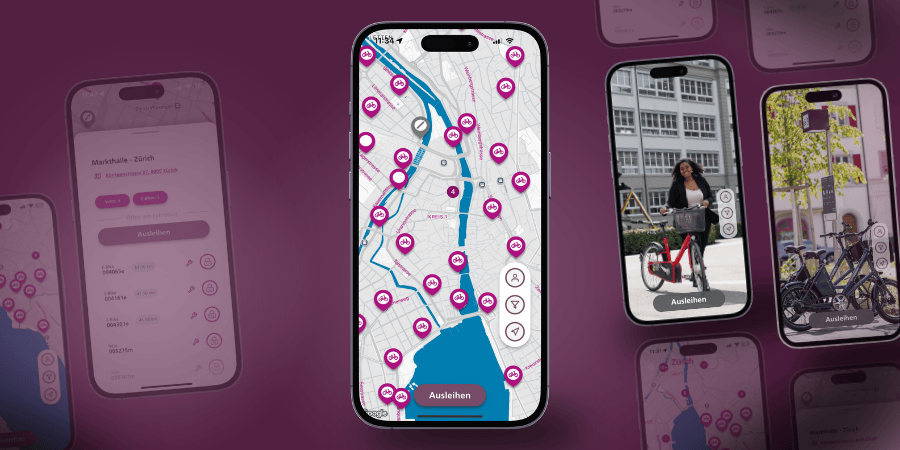
Download the PubliBike Velospot (Zone 1) app.
Info for B-Quick users
B-Quick users do not need to transfer their subscription. Simply register in the new app with your phone number, email, name, and payment method. For verification, 5 CHF will be charged, but you will immediately receive it back as riding credit.

- In the new app, click on "Registration".
- Register with your phone number, name, and the same email address (usually your work email).
- After SMS verification, you must provide a valid payment method.
Note
- Entering a promo code is not required.
- It is important that both accounts use the same email address and a payment method is provided.
I already have a login
- Update both apps to the latest version and check that both accounts use the same email address.
- If necessary, adjust the email in the PubliBike Velospot (Zone 1) app under "Profile".
- Under "Account" in the PubliBike (Zone 2) app, a new button "Free Velospot Upgrade" and "Link Accounts" will appear.
- Click "Link Accounts" to transfer your PubliBike (Zone 2) subscription to the new app.
- If the button is missing, your subscription is not transferable or not yet transferable.

Check in the PubliBike Velospot (Zone 1) app under "Subscriptions & Passes" whether your subscription was successfully transferred.
SwissPass
- Check in the PubliBike Velospot (Zone 1) app under "Access medium" whether your SwissPass is correctly registered. If you don’t register it, borrowing via Tap&Go. will not work.
How does renting work?
Rent
In the app, you can see all available bikes, e-bikes, and all active stations.
- In the app, tap on Rent.
- Press the on/off button on the bike lock.
- The bike number appears in the app and you can unlock it.
Take a break
- Press the on/off button on the bike lock.
- Pull the lever on the right side of the lock down and hold it briefly until the lock closes.
End your ride
Ride to any active PubliBike Velospot station visible on the map to return your bike or e-bike.
- Press the on/off button on the bike lock.
- Pull the lever on the right side of the lock down and hold it briefly until the lock closes.
Tip: If you don’t hear two beeps when closing or the lever doesn’t lock, lift the lever and press it down more slowly. After about 30 seconds, the lock confirms the end of your ride.
Don’t feel like using an app?
If you don’t want to register in the app, you can now simply unlock bikes and e-bikes in Bern with your SwissPass. No extra cost.